
One Business Platform for a Fast-Moving Commercial World
Wholesale, trading and retail businesses operate at different points of the same commercial chain, but they share one challenge: information must move as quickly as the products. A delayed stock update, an incorrect purchase decision, a disconnected sales channel or a pricing error can directly affect margin and customer experience.
Odoo brings sales, purchase, inventory, accounting, point of sale, eCommerce, CRM and operational workflows into one connected environment. For businesses that have outgrown spreadsheets or disconnected applications, this creates a practical foundation for controlling stock, improving order visibility and scaling operations without constantly reconciling data between systems.
Why this matters
The objective is not simply to digitize invoices or stock entries. The real value comes from connecting demand, purchasing, inventory, fulfillment and customer channels so teams can work from the same operational data.
Why this matters
The objective is not simply to digitize invoices or stock entries. The real value comes from connecting demand, purchasing, inventory, fulfillment and customer channels so teams can work from the same operational data.
Common Challenges Across Wholesale, Trading & Retail
- Stock quantities differ between sales teams, warehouses, stores and online channels.
- Purchasing is reactive because demand, replenishment and supplier information are not connected.
- Multiple price lists, customer-specific rates, discounts and margins become difficult to control.
- Sales orders, purchase orders, deliveries, returns and invoices require repeated manual entry.
- Management lacks a reliable view of product movement, fast-moving items, margins and pending fulfillment.
- Expansion into new warehouses, branches, stores or eCommerce creates more systems instead of one scalable process.
A Connected Odoo Flow
A typical connected flow can begin with CRM or a customer order, continue through quotation and sales confirmation, trigger stock reservation or replenishment, create purchase requirements when necessary, manage warehouse movement and delivery, and finish with invoicing and accounting. Retail and online channels can operate on the same product and inventory foundation, reducing the gap between front-office sales and back-office operations.
Odoo for Wholesale Business
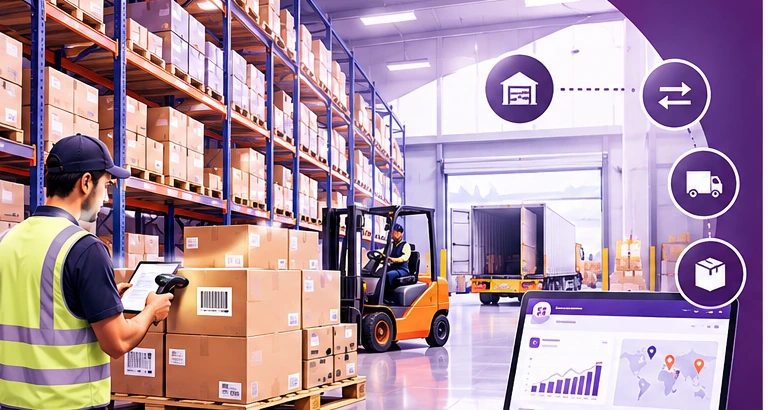
Wholesale businesses need to manage large product catalogs, high-volume orders, multiple customer price structures, warehouse movements and supplier relationships. When order volumes increase, manual stock tracking and isolated accounting software can become a serious operational bottleneck.
An Odoo wholesale ERP setup can centralize customer orders, procurement, warehouse operations and financial processes. Warehouses and internal locations can be structured to represent physical sites, aisles, shelves or operational zones, helping teams understand where stock is held and how it moves.
Wholesale Capabilities That Create Operational Control
Multi-warehouse and multi-location inventory structure for distribution operations.
Sales quotations and orders connected with delivery and invoicing workflows.
Purchase management linked with vendors, procurement requirements and incoming receipts.
Customer-specific price lists, discount structures and commercial terms.
Barcode-supported receiving, picking, stock counting and internal movements.
Lot or serial traceability where product-level tracking is required.
Replenishment workflows to support availability without relying only on manual purchase Planning.
Central product master data for units, packaging, variants, sales and purchasing.
From Order to Fulfillment
A wholesaler can receive a customer requirement, prepare a quotation, confirm the sales order and immediately see the impact on available or forecasted stock. Warehouse teams can then process the required picking and delivery operations. If stock needs replenishment, purchasing can act from the same system rather than waiting for a separate spreadsheet or email chain. This gives commercial and warehouse teams a shared operational picture.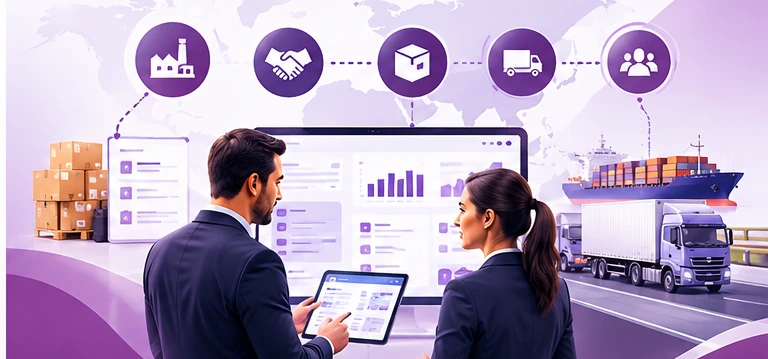
Trading operations: supplier-to-customer coordination, logistics and commercial visibility.
Odoo ERP for Trading Companies
Trading companies often work between suppliers and customers while managing changing purchase prices, sales margins, delivery commitments and logistics. The business may not manufacture a product, but operational complexity can still be high because profitability depends on buying correctly, selling at the right price and fulfilling orders without unnecessary stock or delay.
Odoo can provide a unified workflow for trading businesses by connecting CRM, quotations, sales orders, purchase orders, inventory, deliveries and accounting. Products can be configured for purchase, sale or both, supporting the typical buy-and-sell model used by distributors and trading organizations.
Where Odoo Helps a Trading Business
- Central supplier and customer information with complete commercial history.
- Quotation-to-order workflows for structured sales execution.
- Purchase orders and incoming shipments connected to stock availability.
- Product cost, sales price and margin visibility for better commercial decisions.
- Multiple units of measure and packaging structures for different buying and selling requirements.
- Warehouse routes and stock movements for local or multi-location distribution models.
- Returns, refunds and adjustment workflows with transaction history.
- Accounting integration to reduce duplicate posting between operational and finance teams.
Better Visibility Before Committing to the Customer
A strong trading ERP process should help the sales team answer three questions quickly: Can we supply it? When can we supply it? At what commercial margin? When purchasing, stock and sales information are connected, the business can make commitments with better visibility instead of relying on calls between departments.
Designed for Growth, Not Just Transaction Entry
As a trading company expands, it may add more salespeople, suppliers, warehouses, countries, currencies or business units. A connected ERP structure makes it easier to standardize processes while still configuring commercial rules for different markets and customer segments.
Retail operations: connected store, POS, product catalog, customer experience and online commerce.
Odoo for Retail: Connect the Store, Stock and Online Customer
Retail is no longer limited to a physical checkout counter. Customers may discover products online, compare availability, buy in-store, order through eCommerce, request delivery or return a product through another channel. This makes synchronized product, stock and customer information increasingly important.
Odoo Point of Sale is browser-based and supports common retail workflows such as product sales, customers, payments, returns and refunds. Odoo eCommerce can use the same broader business environment for product catalog, online ordering, delivery, stock handling and invoicing.
Retail Capabilities in a Connected Odoo Environment
- Point of Sale for store transactions, customers, payments, returns and refunds.
- Product variants, categories, images, pricing and stock information.
- Barcode scanners, receipt printers, customer displays, scales and other supported POS hardware integrations.
- Inventory visibility between the retail operation and back-office stock processes.
- eCommerce product catalog, checkout, delivery options and online order handling.
- Customer-specific price lists, promotions, discounts and loyalty-oriented workflows.
- Lot or serial tracking for products that require traceability.
- Integrated sales and accounting processes for better reconciliation.
Omnichannel Starts with Shared Data
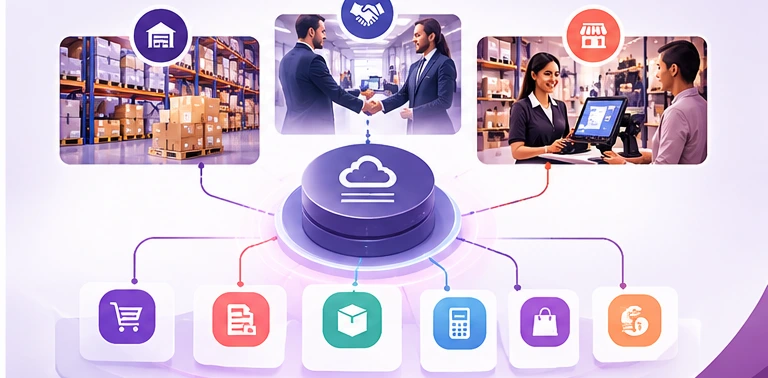
A retail website and a physical store should not behave like two separate companies. With a properly designed Odoo implementation, the product master, inventory rules, sales workflows and financial processes can be connected. This helps reduce overselling, duplicate product maintenance and inconsistent pricing while improving visibility for both staff and management.
Why Odoo Fits Businesses That Operate Across Multiple Channels
Many companies cannot be described by only one label. A distributor may sell wholesale to dealers, trade selected products internationally, operate a showroom and also sell online. Running each channel on a different application creates duplicated masters, manual reconciliation and inconsistent reporting.
Odoo’s modular approach makes it possible to build around the company’s actual process. Sales, Purchase, Inventory, Point of Sale, eCommerce, CRM and Accounting can be introduced as required, while preserving a connected operational model.
Business Outcomes to Design For
Business Need | Odoo-Oriented Approach |
Faster order fulfillment | Connect sales orders with stock reservation, warehouse operations and delivery. |
Better purchasing decisions | Use current demand, stock and vendor information in one operational environment. |
Reduced stock confusion | Structure warehouses and locations with traceable inventory movements. |
Consistent pricing | Configure price lists and commercial rules for customer groups and channels. |
Retail + online alignment | Connect POS and eCommerce processes with the broader product and inventory foundation. |
Management visibility | Use operational and financial data from connected workflows instead of manual consolidation. |
Implementation Matters More Than Installing Apps
ERP success depends on process design. Before configuration, businesses should define product structures, units of measure, warehouse locations, purchasing rules, customer pricing, approval requirements, return processes, accounting flows and reporting expectations. Data cleanup and user training are equally important.
For wholesale, trading and retail businesses, a phased implementation is often practical: begin with core masters and transaction flows, validate inventory and finance integration, then expand into automation, barcode operations, POS, eCommerce or advanced reporting based on business priorities.
Have Questions? Find Your Answers Here
Yes. Products can be configured for purchase, sale or both, allowing sales and purchasing workflows to work around the same product master.
Yes. Odoo Inventory can structure warehouses and internal locations, manage stock movements and support replenishment, traceability and barcode-based operations depending on the configured process.
Odoo provides both Point of Sale and eCommerce applications within its broader business suite, allowing an implementation to connect retail and online processes with product, inventory and accounting workflows.
Yes. Odoo Inventory supports warehouses and locations, which can be configured to represent multiple physical sites and internal storage structures.
Yes. Barcode workflows can be used for inventory operations such as scanning products and locations, including inventory counting scenarios.
No. The implementation can be scoped around the actual business model. The important decision is not company size alone, but process complexity, required controls, integration needs and growth plans.